
Maintaining your Keurig K-Mini ensures optimal performance and fresh-tasting coffee every time. Regular cleaning and descaling prevent buildup and extend your brewer’s lifespan.
This guide provides simple, safe steps for cleaning, descaling, troubleshooting, and optimizing your Keurig K-Mini.
Key Takeaways
| Regular Cleaning | Keeps your brewer free of residue and oils. |
| Descaling Frequency | Use descaling every 3 months to remove mineral buildup. |
| Troubleshooting | Easy fixes for common issues like leaks or slow brewing. |
| Use Quality Filters | Enhances taste and prolongs your machine’s life. |

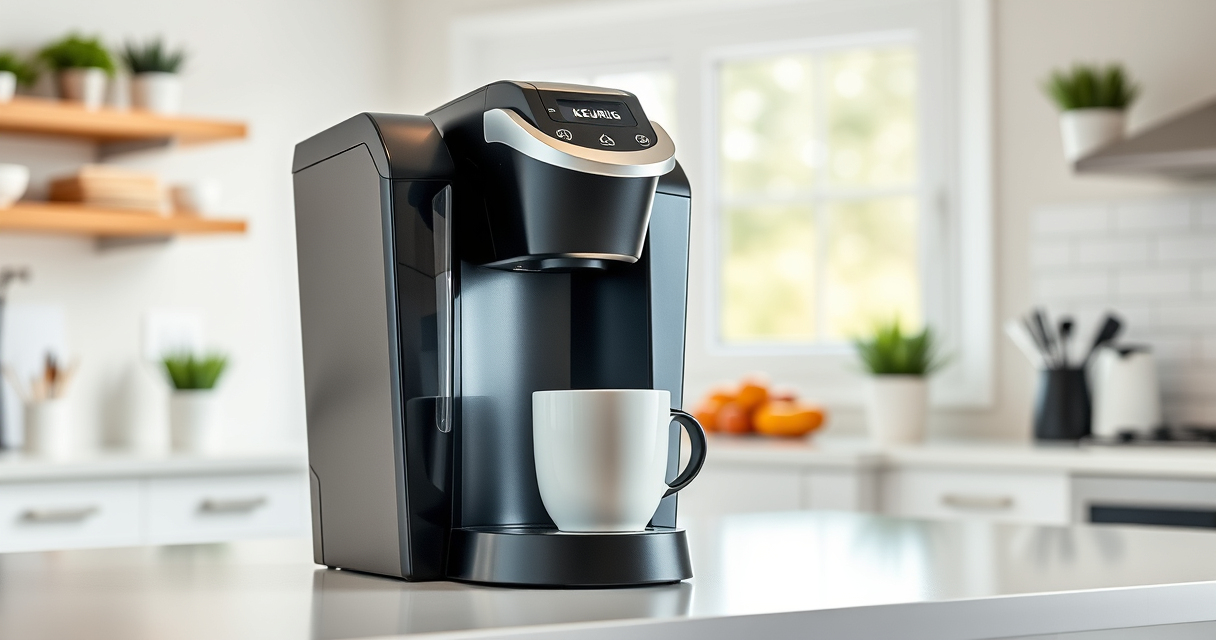
Keurig K-Mini Single Serve K-Cup Pod Coffee Maker, 6 to 12oz Brew size, with Cord Storage, Perfect for Small Spaces, Black
- Compact Design: Fits small spaces under 5 inches wide
- Adjustable Brew Size: Brew 6-12oz cups with Keurig pods
- Single Use Reservoir: Add fresh water for each brew
As an affiliate, we earn on qualifying purchases.
Cleaning the Water Reservoir and Exterior
- Unplug the Keurig and remove the water reservoir.
- Wash the reservoir with warm, soapy water and rinse thoroughly.
- Wipe the exterior with a damp cloth to remove dust and spills.
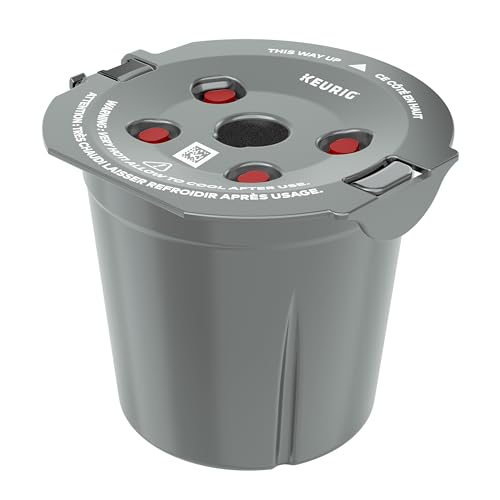
My K-Cup® Reusable Coffee Filter
- Brew with Ground Coffee: Use your favorite ground coffee
As an affiliate, we earn on qualifying purchases.
Descaling Your Keurig K-Mini
- Fill the water reservoir with a descaling solution or white vinegar mixed with water (1:1).
- Place a large mug on the drip tray.
- Run a brew cycle without a K-Cup, repeating until the reservoir is empty.
- Rinse the reservoir, fill with fresh water, and run 2-3 cycles to flush out residue.
Cleaning the Needle and K-Cup Holder
- Turn off and unplug the machine.
- Use a paperclip or needle to gently remove any debris from the needle.
- Remove and clean the K-Cup holder with warm, soapy water.
Troubleshooting Common Issues
- Leakage: Check for proper placement of the K-Cup and clean the needle.
- Slow brewing: Descale your machine regularly to remove mineral deposits.
- No water flow: Ensure the water reservoir is filled and correctly seated.
Using Reusable Filters for Custom Coffee
For ground coffee, use a compatible reusable filter like the My K-Cup®. Fill it with your favorite coffee, insert it into your Keurig, and brew as usual.
The Products in This Guide

Keurig K-Mini Single Serve K-Cup Pod Coffee Maker
- ✔ Width: Less than 5 inches
- ✔ Brew Range: 6-12oz
- ✔ Mug Friendly: Removable drip tray

My K-Cup® Reusable Coffee Filter
- ✔ Material: Plastic mesh
- ✔ Capacity: Single cup
- ✔ Dishwasher: Safe
Keurig K-Mini Single Serve K-Cup Pod Coffee Maker
The Keurig K-Mini offers a compact, efficient brewing experience with features like a 6-12oz brew size, removable drip tray, and auto-off. Its small footprint makes it ideal for small kitchens or offices.
Pros:
- Space-saving design
- Fast brewing
- Removable drip tray
- Cord storage
Cons:
- Limited water reservoir capacity
- No on/off button
- No digital display
Best for: Small households, offices, or travel-friendly brewing
Not ideal for: Users needing large water capacity or advanced features
Bottom line: A compact, efficient coffee maker perfect for small spaces and quick brews.
My K-Cup® Reusable Coffee Filter
The My K-Cup® Reusable Coffee Filter allows you to brew your favorite ground coffee with your Keurig K-Mini, offering customization and cost savings. It’s easy to use and compatible with various Keurig models.
Pros:
- Custom coffee blends
- Cost-effective
- Easy to clean
- Eco-friendly
Cons:
- Requires filling manually
- May require frequent cleaning
- Not compatible with all models
Best for: Coffee lovers who prefer ground coffee
Not ideal for: Users who only brew K-Cup pods
Bottom line: A versatile reusable filter that enhances your coffee experience with ground beans.
Frequently Asked Questions
How often should I descale my Keurig K-Mini?
It is recommended to descale every 3 months or more frequently if you notice slow brewing or mineral buildup.
Can I use ground coffee in my Keurig?
Yes, with a reusable filter like the My K-Cup®, you can brew ground coffee instead of K-Cups.
What should I do if my Keurig leaks water?
Check that the K-Cup is properly seated, clean the needle, and ensure the water reservoir is correctly positioned.
Is the Keurig K-Mini suitable for travel?
Yes, its compact size, cord storage, and travel mug-friendly design make it convenient for travel and small spaces.
Keep Your Keurig K-Mini Brewing Perfectly
Regular maintenance, including cleaning and descaling, ensures your Keurig K-Mini continues to brew fresh, flavorful coffee. Always follow safety tips and use compatible accessories for optimal performance.
Affiliate disclosure: As an Amazon Associate we earn from qualifying purchases. Prices and availability are accurate as of the time of publishing.