
TL;DR

Get kitchen gear delivered free with Prime
- Fast, free delivery on millions of items
- Prime Video, Amazon Music and more included
- Member-only deals all year
Matter Alpha describes a no-drill way to add Govee COB strip lighting to IKEA’s YXSTABY gaming side table. The setup uses 3D-printed fixtures fitted into existing screw holes, then connects the trimmed strip to a Matter-compatible smart-home platform.
Matter Alpha has published a guide to adding Govee COB strip lighting to IKEA’s YXSTABY gaming side table without drilling or making permanent changes. The method uses small 3D-printed fixtures that slot into existing screw holes, then pairs the light with a Matter-compatible smart-home platform for basic controls such as power, brightness and color.
The project addresses a practical limitation of the table: its enclosed storage area is dark. Matter Alpha’s author says the lighting adds an ambient glow while keeping the strip out of sight. The setup calls for the IKEA table, a Govee COB Strip Light 2 Pro, a 3D printer and filament, plus access to a Matter-compatible platform such as Apple Home, Home Assistant or SmartThings. A Matter motion sensor and energy-monitoring smart plug are optional.
Instead of relying on the strip’s adhesive backing, the guide uses eight printed fixtures: four for upper mounting points and four for lower ones. The fixtures fit into holes already used in the table’s assembly, and the guide says they need no additional screws or glue. The author printed them in translucent PETG; PLA is also suggested, though the fit may differ. The designs are available through MakerWorld, according to the report.
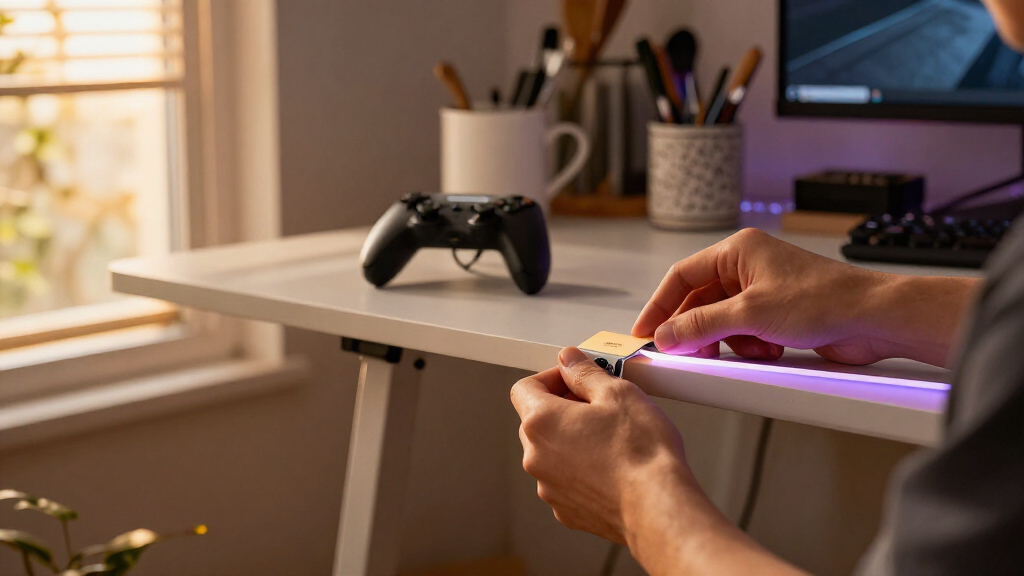
The strip is routed around the table’s interior, held by the fixtures, and cut at one of its marked cutting points after the power is disconnected. The guide advises forming broad curves rather than forcing sharp bends. Once installed, the remaining strip length needs to be recalibrated in the Govee Home app. The author says Matter provides basic controls, while the Govee app offers additional effects and animations that are not available through Matter.
Lighting Without Altering the Table
The project offers a way to add smart lighting to gaming furniture while avoiding new holes, glue or other permanent changes. That may suit owners who want to keep the table intact or remove the lighting later. Using existing screw holes also makes the approach dependent on the table’s own construction rather than a universal mounting system.
The split between Matter and the manufacturer’s app is also relevant to smart-home users. Matter can place basic lighting controls alongside other connected devices, but the guide says more elaborate animations remain in Govee’s app. Buyers should not assume that Matter exposes every feature available through the product’s own software.
Products Worth Considering

Breville Smart Grinder Pro Conical Burr Coffee Grinder, Brushed Stainless Steel

Le Creuset Toughened Nonstick PRO 11-Inch Crepe Pan with Rateau

Cuisinart MultiClad Pro 12-Piece Stainless Steel Cookware Set
As an affiliate, we earn on qualifying purchases.
How the Mounting Method Works
IKEA’s YXSTABY collection was developed with Xbox, according to the source report. The guide focuses on the gaming side table and its sliding fabric panel and enclosed storage. It recommends completing assembly only through step six before installing the lights, leaving the bottom panel and feet off to make routing easier. Owners of an already assembled table can still attempt the installation, but the report says access is more difficult because the sliding panel must be moved around.
The Govee COB strip was selected for its more continuous-looking light compared with conventional LED strips and its multicolor effects. The author notes that the strip is relatively thick and elastic, which can make tight corners difficult, and says its adhesive may not suit every table surface. The printed fixtures are presented as a way to hold it in place while avoiding reliance on that adhesive.
““without drilling extra holes or making permanent changes to the furniture.””
— Matter Alpha report
Fit and Feature Limits
The report does not provide independent testing, long-term durability results or measurements of the finished lighting’s brightness. It also does not establish that the printed fixtures will fit every printer, filament brand or table assembly with the same tolerances. The author says PETG was used and that PLA may work, but notes that the fit can vary.
The source excerpt ends while describing an AI-generated lighting effect, so the author’s complete account of that effect is unavailable. It is also not clear from the report whether all Matter platforms expose identical controls for this specific Govee strip, or whether the MakerWorld files will be revised as users test the design.
Installation and Setup Steps
Anyone following the project will need to print the fixtures, install them in the table’s existing holes, route the strip, and finish assembling the furniture if it is still open. The guide says to disconnect power before cutting and to cut only at marked points; the removed section cannot be reconnected. After installation, users can pair the light with a compatible Matter platform and use Govee Home to recalibrate the strip length and set up effects.
The report does not announce a follow-up test or product update. The next practical test is whether the downloadable fixtures fit a reader’s table and printer, and how the lighting behaves in that specific smart-home setup.
Key Questions
Does this installation require drilling?
No. The guide says the printed fixtures slot into existing screw holes in the table and require no extra screws or glue.
What parts are needed?
The project uses an IKEA YXSTABY gaming side table, a Govee COB Strip Light 2 Pro, a 3D printer and filament, and a Matter-compatible smart-home platform. A motion sensor and energy-monitoring smart plug are optional.
What can Matter control?
According to the report, Matter provides basic controls including power, brightness and color. More advanced effects and customized animations are handled in the Govee Home app.
Can the strip be shortened to fit?
The guide says it can be trimmed at the strip’s designated cutting marks, with power disconnected first. The cut-off section cannot be reconnected, and the remaining length should be recalibrated in the Govee app.
Source: matteralpha.com